create-astro vs astro-ignite: which Astro CLI to use
An honest comparison between create-astro, the official CLI, and astro-ignite. See the differences, tradeoffs, and pick the right one for your project.
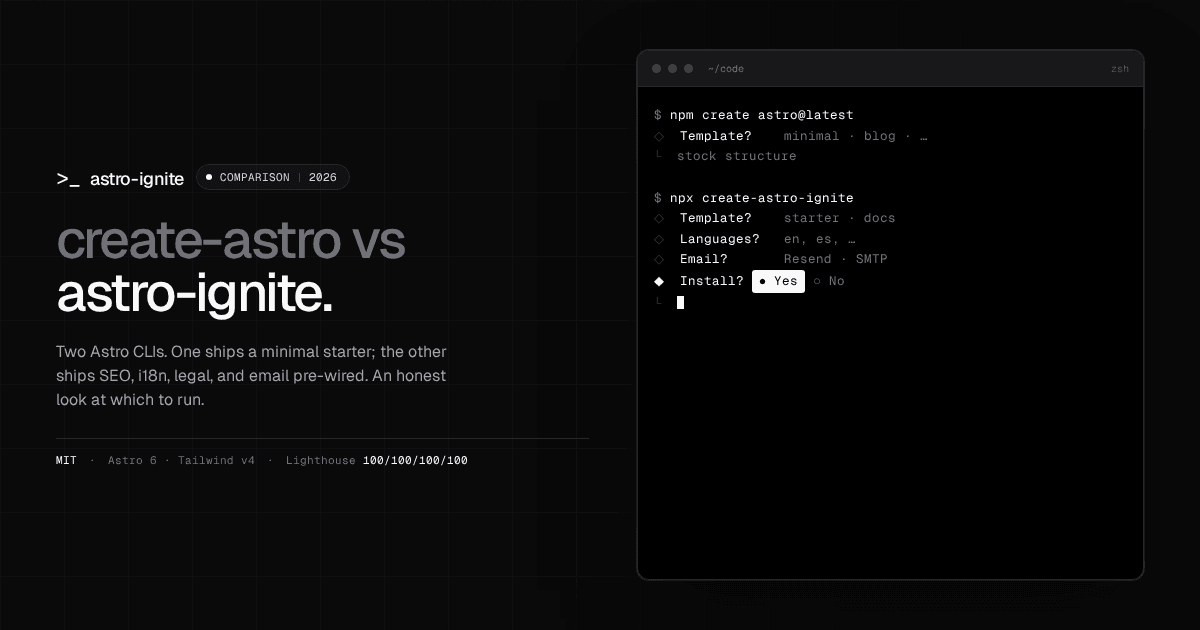
If you’re starting a new Astro project in 2026, you have two real options: run create-astro, the official starter from the Astro core team, or try astro-ignite, an open-source CLI that scaffolds a production-grade Astro site with SEO, i18n, legal, and email pre-wired. Both produce valid Astro projects. They optimize for different things.
This post compares them honestly. By the end you’ll know which one to run, and you won’t need to switch later.
TL;DR
create-astro |
astro-ignite |
|
|---|---|---|
| Maintainer | Astro core team | Community, MIT-licensed |
| Scaffolding style | Pick a template from a curated list | Pick a full-stack scaffold and answer a setup prompt |
| Out-of-the-box features | Minimal: pages, content collections | SEO, i18n, legal pages, email, analytics, cookie banner |
| Component library | None included | shadcn-style registry of Astro-first primitives |
| Output | Standard Astro project | Standard Astro project (no runtime dependency) |
| Best for | Stable, official starting point | Shipping a real site quickly with owned code |
If you want the canonical, minimal starting point, run create-astro. If you want a scaffold that already includes the production basics, try astro-ignite.
What create-astro does well
create-astro is the tool the Astro team recommends, and it earns that recommendation. A few things it gets right:
- It is the source of truth for project structure. When the Astro team ships a new version, the official starters update immediately. You won’t be on a stale layout.
- The template list is curated. Every option in the prompt has been reviewed by maintainers. There is no surprise in what you get.
- It is dependency-light. The CLI itself is small and fast.
- It works fully offline. No third-party calls, no environment to set up.
If your goal is “I want to start a project and I trust the defaults”, this is the right tool. Most Astro tutorials assume you used it, which makes documentation and Stack Overflow answers map cleanly to your project.
Where astro-ignite differs
astro-ignite is not trying to replace create-astro. It is trying to answer a different question: what if the starter were already production-shaped before you wrote a line of code?
Three concrete differences:
- Production basics are pre-wired. A new project ships with SEO (typed JSON-LD, hreflang, sitemap, RSS, OG), i18n (
/and/[lang]/parallel routes), legal page templates, analytics consent + cookie banner, and a working contact form. Withcreate-astroyou bolt those on yourself. - shadcn-style component registry. Atoms (
Button,Card,Dialog,Tabs,Toaster) are copied into your repo as Astro + vanilla JS — no React, no Radix, no runtime dependency. Read the code, edit the code, delete what you don’t need. - Templates ship complete. The default
startertemplate is a real marketing site with blog and projects collections. Thedocstemplate is a docs site that doesn’t use Starlight, so you own every page.
Importantly, the output is still a plain Astro project. No runtime dependency on astro-ignite, no upgrade treadmill. You can delete the CLI from your machine the moment scaffolding finishes and the project keeps working.
Side-by-side: building the same project with both
Let’s build a personal site with a blog using each tool.
With create-astro
npm create astro@latest my-siteThe CLI prompts for a template. Picking the “Blog” starter gives you a minimal project with placeholder posts, a default layout, and a stock typography theme. Time to scaffold: about 30 seconds. Time to make it production-ready: a few hours wiring SEO, sitemap, RSS, hreflang, legal pages, cookie banner, and analytics consent.
With astro-ignite
npx create-astro-ignite@latest my-siteYou’re asked the project name, package manager, whether to install dependencies, and which template (starter or docs). About a minute later you have a project with SEO plumbing, i18n parallel routes, draft blog posts, a sample project case-study, legal page templates, a contact form, and the component registry already copied into src/components/ui/.
The honest comparison: create-astro gets you a working Astro project faster. astro-ignite gets you closer to a shippable Astro project. Whether the trade is worth it depends on how much you would have configured by hand anyway.
When to pick create-astro
- You want the official, supported path. Tutorials and docs map directly to your project.
- You already know exactly which template you want.
- You’re contributing to or teaching Astro itself — students should learn the canonical flow.
- You prefer a tool with zero opinions about how to structure SEO, i18n, or legal pages.
When to pick astro-ignite
- You want a scaffold that ships with SEO, i18n, and legal pages already wired.
- You value owning every line of code — no runtime framework dependency.
- You scaffold many similar sites (agency work, client projects) and want the same baseline each time.
- You’re a solo dev who wants production defaults without spending the first week wiring boilerplate.
Can I use both?
Yes — they don’t conflict. Some workflows that work in practice:
- Use
create-astrofor one-off prototypes where you don’t need SEO or legal pages. - Use
astro-ignitefor sites you intend to deploy to production, then treat the result like any other Astro repo. Both tools are out of the picture once the project exists; you’re just writing Astro.
FAQ
Does astro-ignite replace create-astro?
No. It targets a different use case (production-shaped scaffolds) and produces standard Astro projects, so you can still follow any tutorial that assumes a create-astro starting point.
Does the output have any lock-in?
No. The CLI generates plain Astro files. Once scaffolding finishes, the project is identical in shape to any other Astro project — same astro.config.mjs, same content collections, same pages directory.
Is it free? Yes. The CLI and templates are MIT-licensed. There is no paid tier and no telemetry.
Will it stay maintained? It’s actively developed on GitHub. Star the repo to follow releases.
Try it
npx create-astro-ignite@latestIf you find it useful, star the repo on GitHub — that’s how open-source projects survive.
If you want a deeper walk-through, the 5-minute Astro blog tutorial builds a complete blog from scratch with astro-ignite. Still browsing? Check the best Astro starter templates in 2026 to see how forked themes compare to a CLI scaffold.